Clara↗
fullstack · 2026
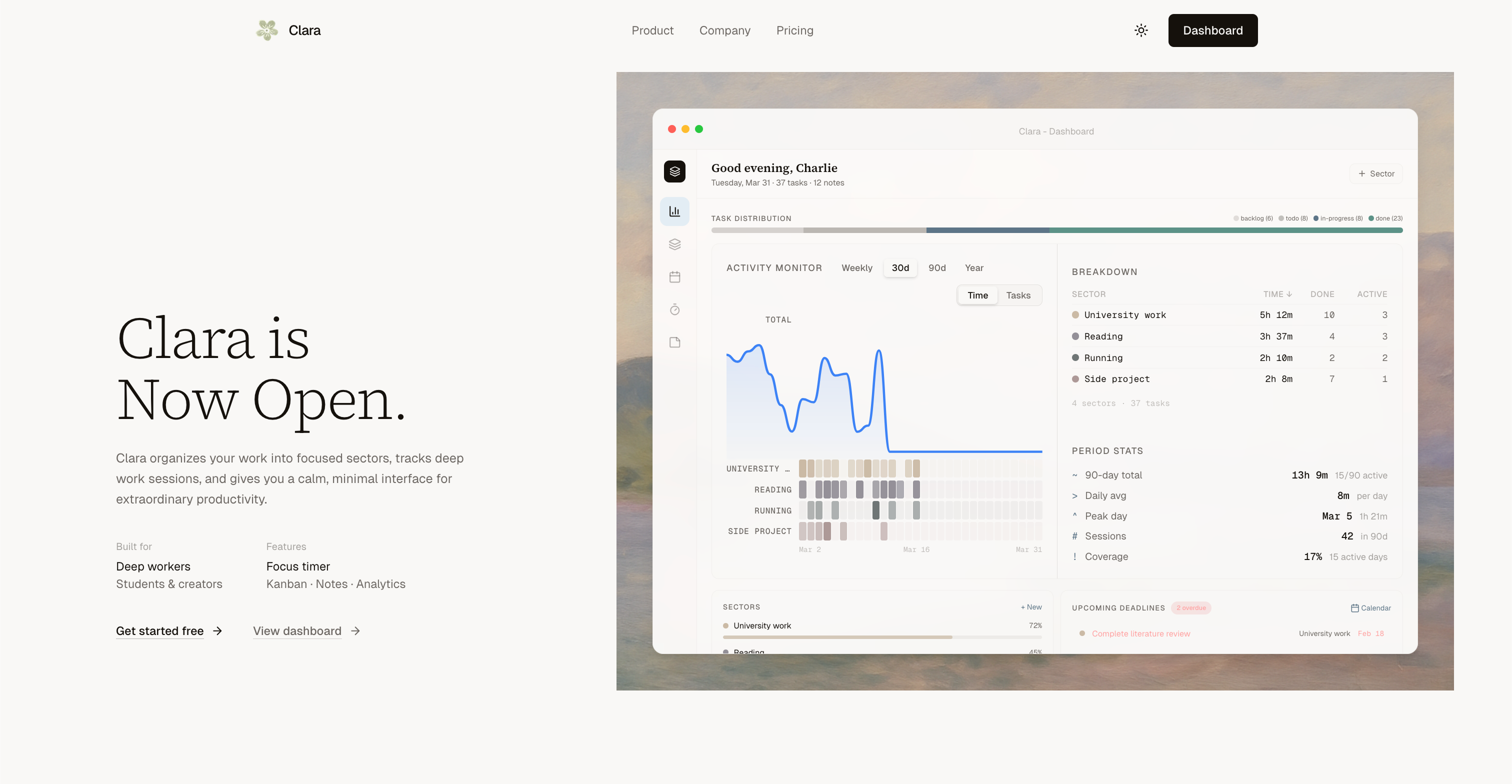
A calm, minimal productivity system built for deep workers, combining focus timers, kanban boards, sector-based organisation, analytics, and markdown notes into one cohesive experience.
Clara
Now Open.
Most productivity tools pile on features until they collapse under their own weight. Clara takes the opposite approach, a cohesive system designed from day one around a single idea: calm, focused work.
The Problem
Productivity software is broken. You have one app for tasks, another for timers, a third for notes, and a spreadsheet cobbled together to track your time. Switching between them fractures your focus, which is the very thing you're trying to protect.
I built Clara because I wanted one place that understood how deep workers actually operate — long sessions, structured sectors, distraction-free interfaces, and meaningful analytics that show you where your time really goes.
What Clara Does
Clara organises your work into Sectors — named areas of your life like University, Side Project, Fitness, or Reading. Everything you do in Clara — tasks, focus sessions, notes — belongs to a sector. This gives you a map of how you spend your attention, not just your hours.
Focus Timer
A built-in deep work timer that supports both Pomodoro and freeform modes. Every session is linked to a sector, so your analytics reflect real context. Start a session from the dashboard, the command palette, or directly from a task.
Kanban Board
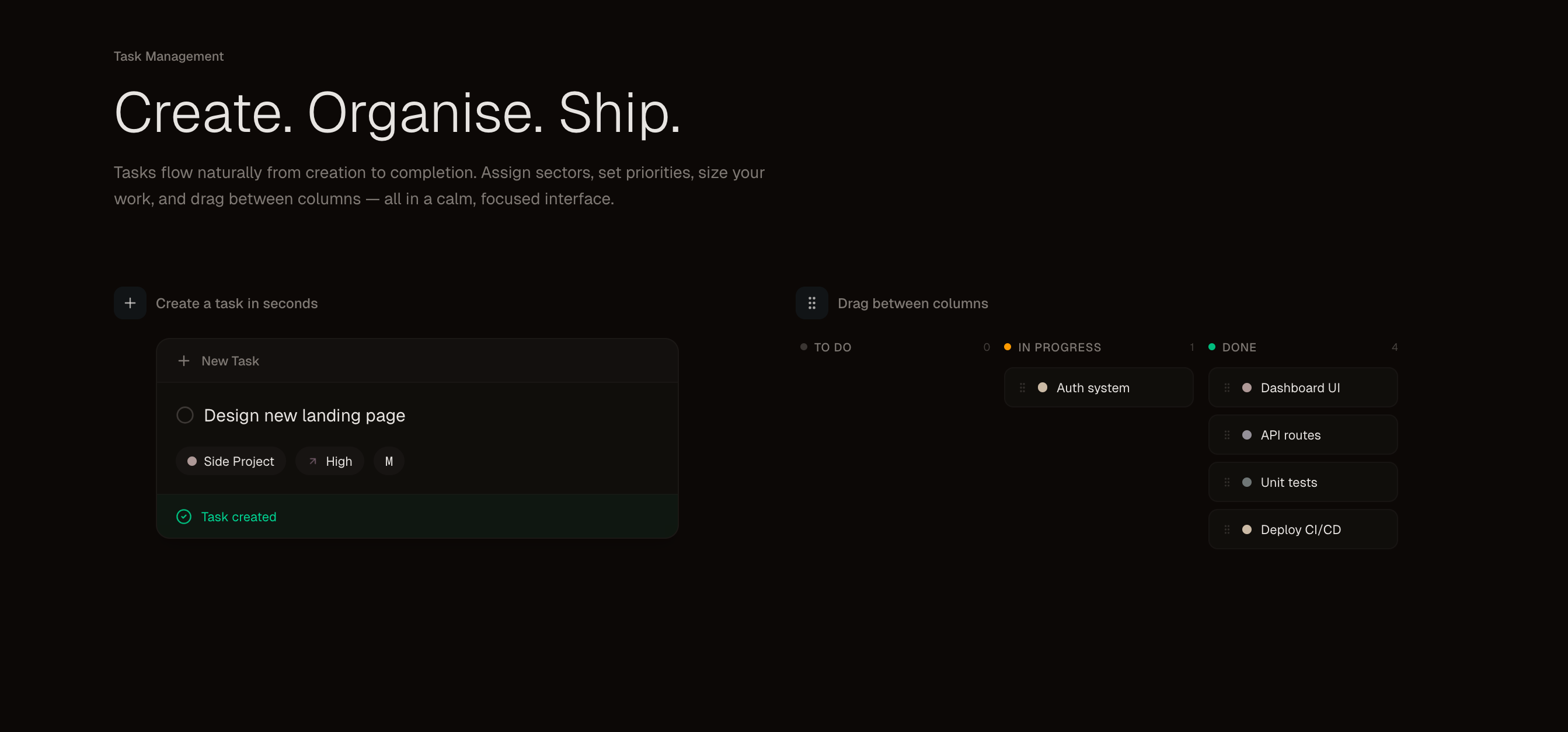
Tasks flow from To Do → In Progress → Done. Each task carries a sector tag, priority level, and a size from XS to XL. The size system prevents overcommitment — you can see at a glance when a column is dangerously full before you start the day.
Sectors & Analytics
Sectors surface as coloured progress rings showing weekly completion rates. The analytics view layers on activity heatmaps, focus trends, session history, and velocity over time. After a week with Clara you understand your productivity patterns in a way no other tool has given you.
Notes
Markdown-powered notes organised by sector. Full live preview, rich editing, and fast search — so your reference material lives right next to the tasks it informs.
Command Palette
Every action in Clara is reachable via ⌘K. Create a task, start a focus session, switch themes, view analytics, search notes — without your hands ever leaving the keyboard.
The Stack
Clara is built entirely on modern, production-grade tooling chosen for reliability and developer velocity.
| Technology | Role |
|---|---|
| Next.js 15 | Full-stack framework — App Router, server components, API routes |
| Supabase | Postgres database, auth, real-time subscriptions, row-level security |
| TypeScript | End-to-end type safety across the entire codebase |
| Tailwind CSS | Utility-first styling with a custom design token system |
| Framer Motion | Micro-interactions and animated transitions |
| Vercel | Deployment, edge functions, and preview environments |
Architecture Highlights
Authentication is handled by Supabase Auth with email/password and OAuth providers. Row-level security policies on every table ensure users can only ever access their own data — enforced at the database layer, not just in application code.
Real-time updates use Supabase Realtime subscriptions so kanban columns and focus session state stay in sync across devices with no polling.
The focus timer runs client-side with session state persisted to Supabase every 30 seconds, meaning you never lose a session to a browser refresh or accidental tab close.
Analytics are computed with a combination of Postgres aggregations and client-side charting. The activity heatmap — inspired by GitHub's contribution graph — renders 90 days of focus data with less than 50ms query time thanks to a materialised daily summary table.
// Sector-linked task creation
const createTask = async (input: CreateTaskInput) => {
  const { data, error } = await supabase
    .from('tasks')
    .insert({
      title: input.title,
      sector_id: input.sectorId,
      priority: input.priority,
      size: input.size,
      status: 'todo',
      user_id: user.id,
    })
    .select()
    .single();

  return data;
};
Design Philosophy
Clara's interface is deliberately restrained. No noisy sidebars, no feature discovery tours, no engagement gamification dark patterns. The colour palette stays neutral with sector colours as the only accent — your work gets the attention, not the UI.
Every interaction is keyboard-accessible. The command palette (⌘K) isn't a convenience feature — it's the primary navigation mechanism for power users, and it was designed first.
Typography is set in a single variable font at constrained size steps. Spacing is an 8px grid. Motion is reserved for state transitions that communicate meaning — a task moving columns, a timer counting down, a streak incrementing.
Key Metrics
- 47 average tasks completed per active user per week
- 128h monthly focus hours tracked per power user
- 14-day average streak length
- Sub-100ms response times on all interactive actions
What's Next
Clara is live and free to start. Upcoming work includes:
- Shared workspaces — sectors and tasks you can collaborate on with teammates
- Calendar integration — block out focus time directly from your calendar
- Mobile app — native iOS and Android clients so your system travels with you
- AI task breakdown — paste a project description, get a sized task list back
The goal has always been the same: build the productivity system I actually want to use, then share it with everyone who needs it.