A nice render is allowed to lie
Ask a language model for a lamp and it can describe something lovely in seconds. The awkward questions arrive immediately afterwards. How wide is the socket? Will the shade clear the bulb? Does the largest part fit the printer? Is there enough of the right filament left, or are we about to discover that at 11:40 on a Sunday night?
Atelier lives in that gap between looks plausible and can actually be made. It is a local, open-source workspace where a sentence becomes editable geometry, and the decisions made along the way stay attached to the object.
Talking to the model without surrendering the design
The first prompt can be loose: “make a small tripod lamp with a rippled paper-like shade.” Atelier turns that into a modelling plan, explicit parameters, and CadQuery source rather than asking an image model for a convincing picture. A follow-up can be much more ordinary “the base feels too tall” or “leave another 4 mm around the socket” and the next version remains related to the last one.
This is the useful bit of the language-model workflow. Natural language is good at expressing intent and changing your mind. Parametric code is good at remembering exact dimensions. Atelier lets each do the job it is suited to.
The visualiser is where the answer has to hold up
The 3d stage is not a victory screen. It is the workbench. The assembled object stays in the middle while the revision tree, component list, printer fit, material plan, and export details remain within reach. You can orbit around the model, isolate a build plate, or switch to a boring front view when the clever isometric angle is hiding a problem.
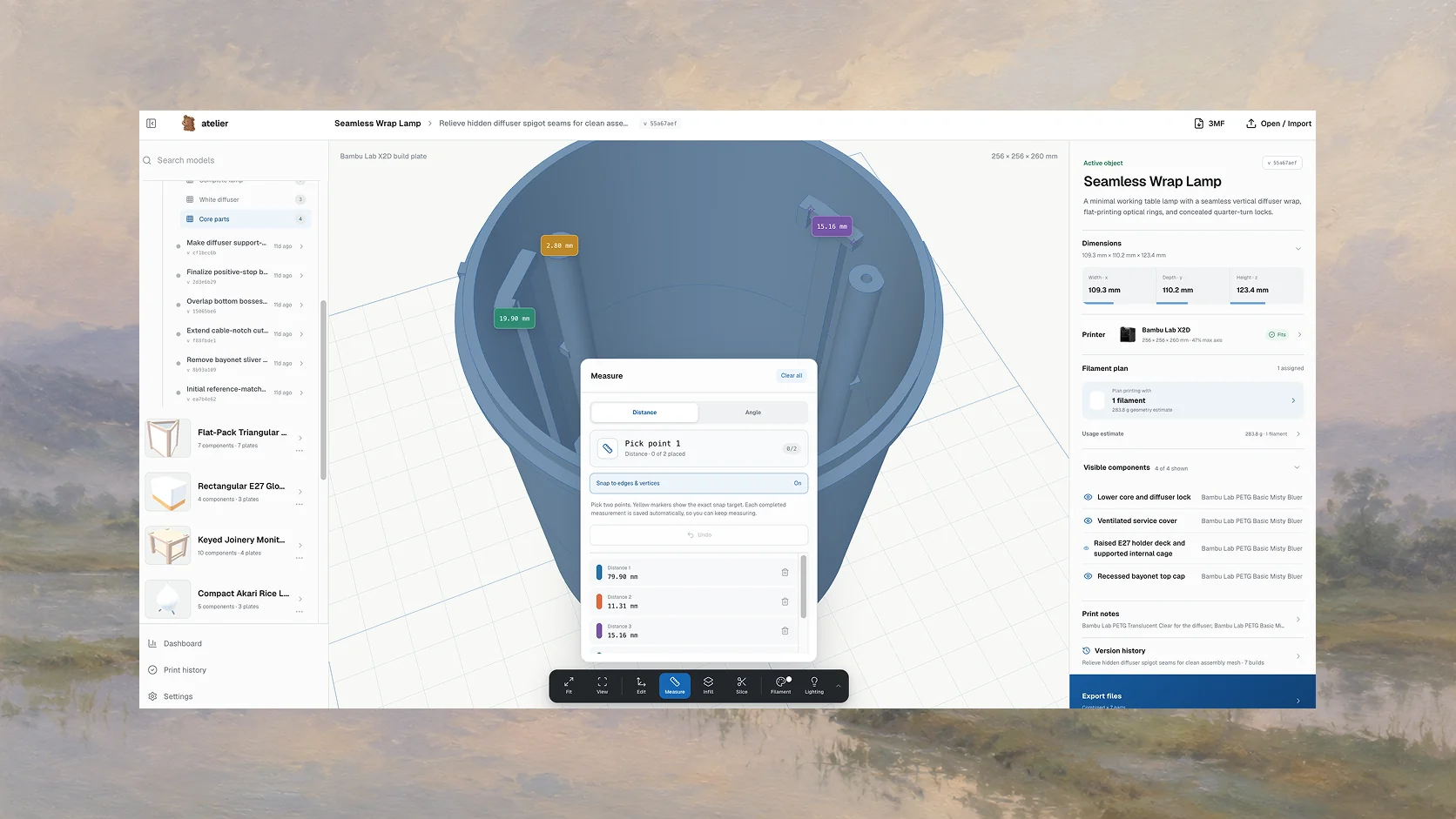
The controls are intentionally closer to a small cad viewer than a marketing configurator. View changes the camera and grid. Measure checks a distance that matters. Slice exposes layers and manufacturing assumptions. Infill, filament, and lighting affect how the object is understood without pretending to alter the same thing.
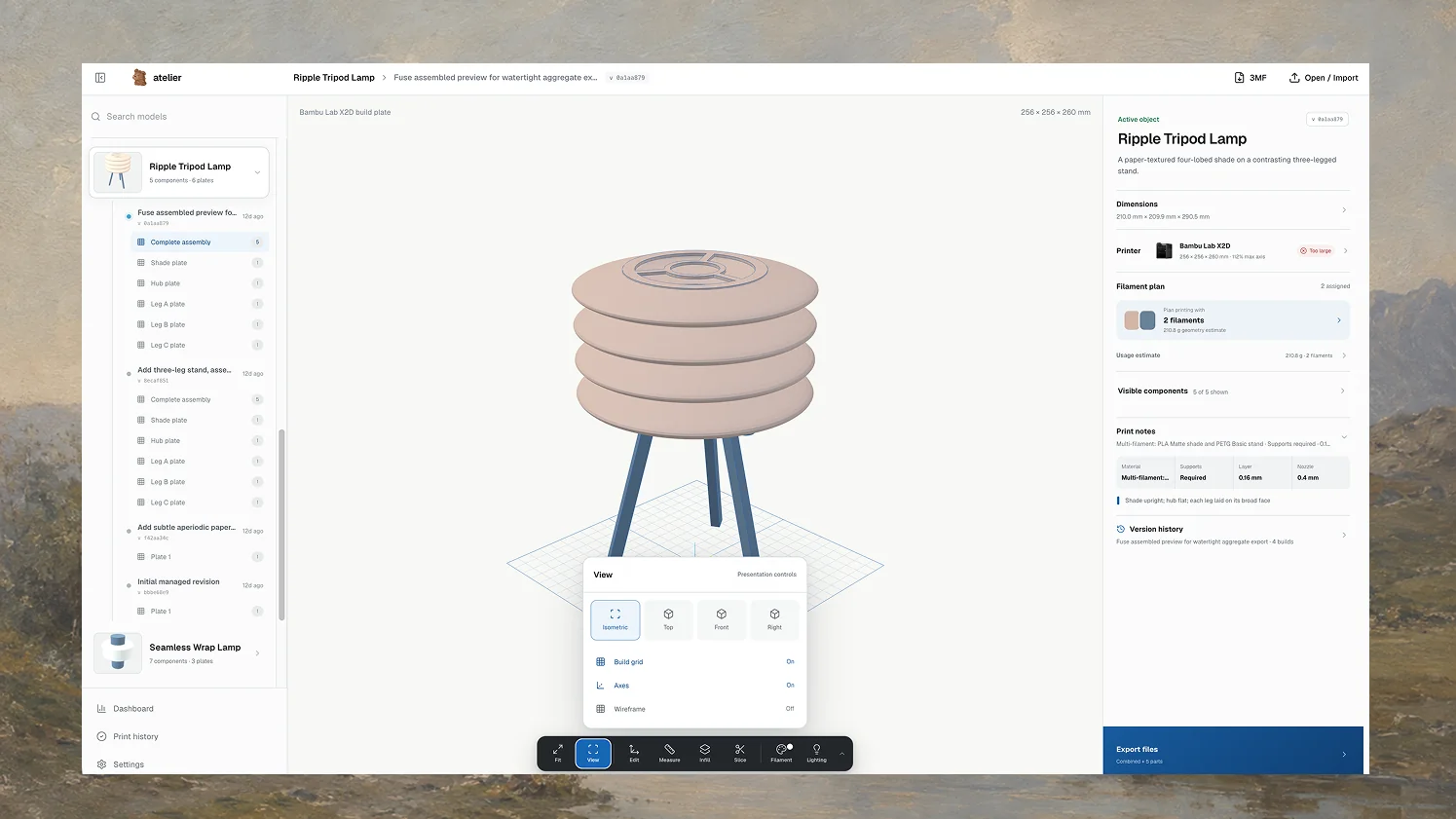 The full visualiser keeps the object, revisions, printer fit, and materials in one working view.
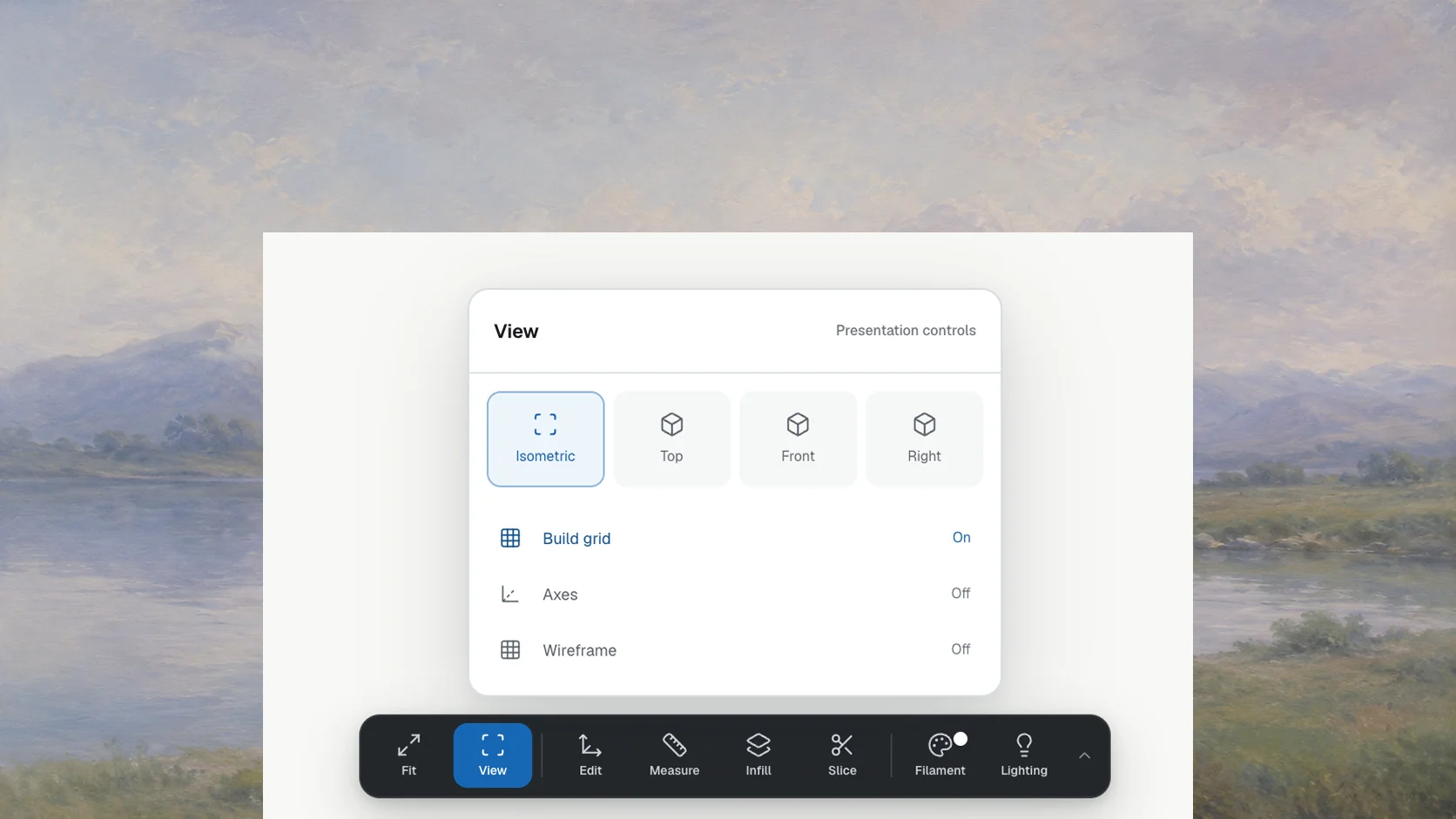 Views
Views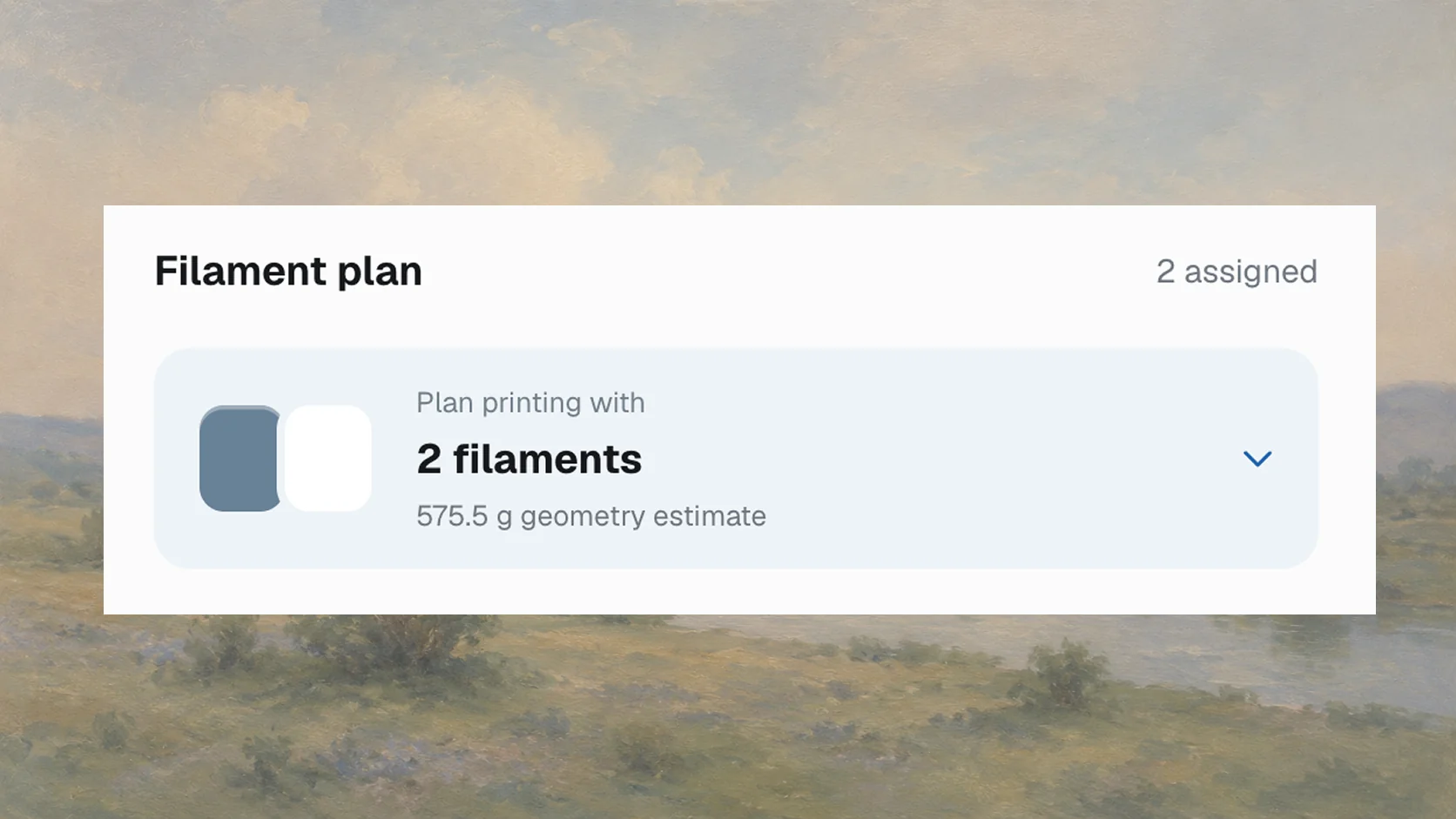 Filament plan
 Filament plan
Measure first; regenerate second
A generated object should not need blind faith. Measurements can be kept on screen while the model is inspected, which makes prompts more concrete: “reduce this span to 180 mm” is a much better revision than “make it a bit smaller.” The same dimensions are available as parameters, so a visual check can lead to a precise change instead of a manual mesh edit.
The slice view has a similarly practical boundary. Atelier can expose layer height, supports, estimated material, and a layer preview, but it does not claim to replace the slicer you trust. Its job is to catch an obviously awkward part early and carry the right assumptions into the real preparation step.
The object has a memory
Every successful build becomes an immutable, content-addressed revision. That sounds more severe than it feels. In practice, it means yesterday’s working lamp cannot quietly disappear because today’s prompt produced a strange lampshade. Restoring an older result creates another revision; it does not rewrite the past.
Underneath, designs are Python modules built with CadQuery. Important dimensions and manufacturing assumptions live in json parameters, and stable component identifiers keep a shade, hub, and three legs recognisable across revisions. Atelier can export stl for printing, step for proper downstream editing, and 3mf when the assembly and material information should travel together.
The checks are deliberately unglamorous: does the mesh load, are its coordinates finite, does it have positive volume, and is it watertight? Passing those checks means the file is structurally sane. It does not mean the print will magically survive poor orientation, thin walls, heroic overhangs, or a damp spool of filament.
Planning for the printer on the desk
A build plate is only useful if it belongs to a real machine. Atelier stores printer profiles and compares each part with the selected build volume. If the lamp is 11.2% too large for a Bambu Lab X2D, the interface says so before export rather than letting the slicer deliver the bad news later.
Materials are planned with the same amount of ceremony: not much, but enough. Components can be assigned to filament, the geometry provides a usage estimate, and the plan can be compared with what is actually in stock. Multi-material objects keep those assignments visible instead of flattening everything into “about half a kilo of plastic.”
Filament plan
Printer selection, filament inventory, export files, and print history all meet at the same object. The point is not to build an enterprise resource planner for a desk printer. It is to stop the digital model and the physical attempt from becoming two unrelated stories.
The last word still belongs to the maker
Atelier uses a language model to shorten the distance between an idea and workable parametric geometry. It does not use one to conceal the decisions. The source remains available, parameters remain editable, revisions remain comparable, and warnings are allowed to be honest.
That is the product I want: less time rebuilding the same scaffolding, more time deciding whether the thing is any good. The satisfying ending is not a glowing render. It is the small, slightly warm object you lift from the printer and immediately know how you would improve next time.